

Key takeaways
- Use one short line that says what the product is and stays true for the whole clip; TikTok's guidance treats text as a hook in the first 3 seconds.
- Keep text in the upper-middle of the frame, away from the right-hand buttons and the bottom caption and product link.
- Leave prices off unless they are current and available to everyone, and never write lowest-price, effect or result claims.
What TikTok says about text
TikTok Shop's Good Quality Video Guide lists a text overlay as one of three hooks for the first 3 seconds: text that quickly tells viewers what the video is about. TikTok's creative best practices for ads say to use captions or text overlays to give context, and suggest showing 5 to 10 words a second when you use text. TikTok Shop's quality requirements ask that on-screen text match what you say and be easy to read and understand.
TikTok Shop's content policy also covers on-screen text by name. A claim you can't make out loud, you can't write on screen either.
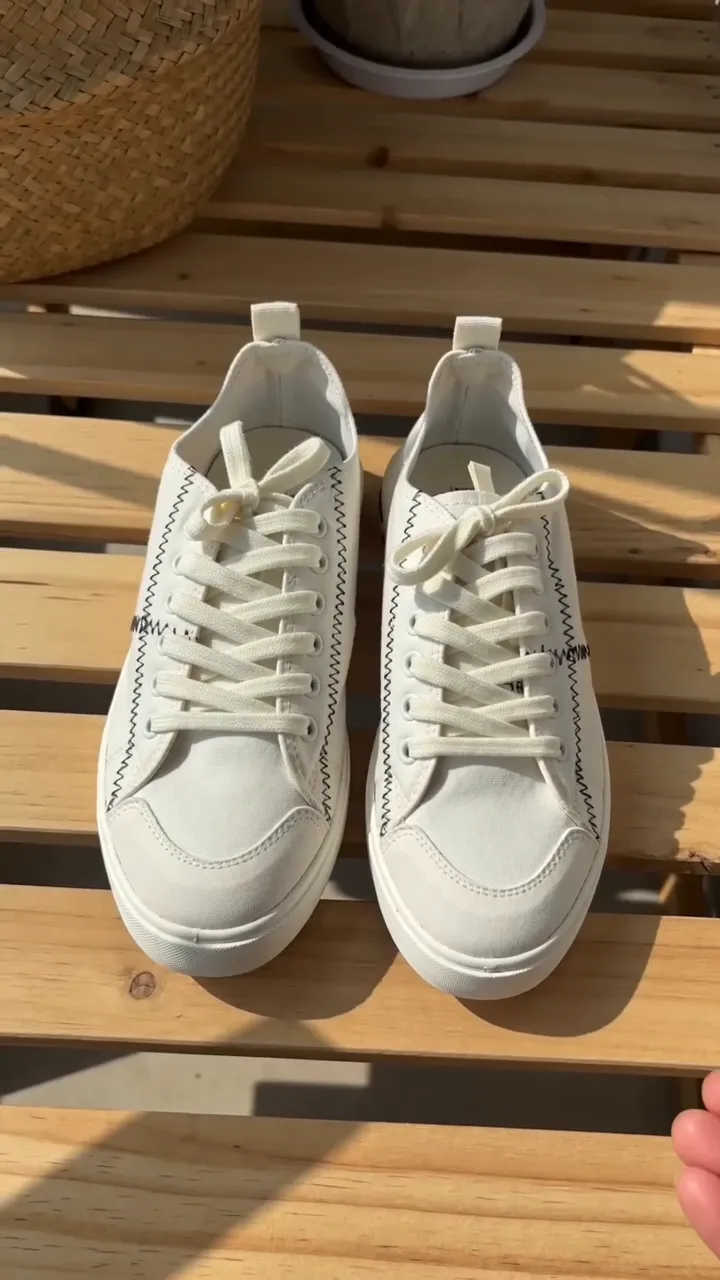 Comfy from the first wearUnder $50
Text
Up to 5 boxes · free
Keep it out from under the buttons
The TikTok app draws its own buttons and captions over your video: a bar at the top, a column of buttons down the right, and the caption and product link along the bottom. TikTok's ad specifications call the area they leave clear the safe zone and publish template files for it. They note that its size depends on the length of the caption and on extras such as a product anchor.
The practical rule: keep your text in the upper-middle of the frame, away from the right edge, and well clear of the bottom.
Write one line that stays true
A product video is short, and in TurboUGC the text stays on screen for the whole clip. So write the line you want someone to see at second 1 and still agree with at second 9.
Good first lines say what the product is, or the one fact that sets it apart:
- "Insulated tumbler, 40 oz"
- "Wireless earbuds with a charging case"
- "Linen shirt in four colors"
A second, smaller line can carry a detail or a nudge: "Tap the link to see sizes". Two lines is plenty for a 10-second video.
Words to avoid
TikTok Shop's content policy (updated 9 October 2026) is specific about the words that cause trouble.
- Price claims you can't guarantee. You can mention prices, discounts and deals, but they must be accurate, clear, current and available through your product link. If a price depends on a coupon, a size, a minimum spend or a deadline, you have to say so. "Lowest price" and "cheapest price" claims are banned outright. Prices change, and a price burned into a video can't, so most of the time leave the price off the video.
- Effects and results. "Removes acne in days" and "slim legs right away" are the policy's own examples of exaggerated promises.
- Awards and certifications the product doesn't have, and vague or unsupported price comparisons.
Text overlay in TurboUGC
Text overlay is free. It runs as a step in the Workflow, or as a switch when you run a formula like Hold & Show.
- Up to five text boxes, each up to 120 characters.
- Two styles: Bold outline, white letters with a black outline by default, and Boxed, a solid rounded box behind each line. Boxed puts a solid box behind the words, which helps on busy backgrounds.
- Nine colors for the text and the outline or box, plus size, alignment, and padding and corners for Boxed.
- Drag, resize and snap each box on a 9:16 preview. Keep clear of TikTok's buttons, on by default, shades the top bar, the right-hand buttons and the bottom caption, and keeps every box out of them.
- Insert {product} puts the product's short title in the text, so one design works across many products in a run.
- Save a look as your own preset and reuse it.
You get two copies in your Library: the clean video and the one with text. If the text step fails, the clean video is untouched and the text costs nothing. Emoji and symbols the font can't draw are left out, and the editor says so under the box.
A quick check before you post
- Can someone who has never seen the product tell what it is from the text alone?
- Does every word match the listing or the label?
- Is any price, discount or deal current and available to everyone who taps the link?
- Does the text clear the buttons and caption on your own phone?
Creator free for 3 days. $0 today, 310 credits.
Get startedSources
- TikTok Shop Academy, “Good Quality Video Guide” · read October 14, 2026
- TikTok Ads Help Center, “Creative best practices for performance ads” · read October 14, 2026
- TikTok Ads Help Center, “TikTok Auction In-Feed Ads” · read October 14, 2026
- TikTok Shop Academy, “Requirements for High-Quality Videos and LIVEs” · read October 14, 2026
- TikTok Shop Academy, “Content Policy” · read October 14, 2026
- TikTok Community Guidelines, “Integrity and Authenticity” · read October 14, 2026
- TikTok Shop Academy, “AI-Generated Content Restrictions and Requirements” · read October 14, 2026