

Product · Text overlay

Put your own words on the video

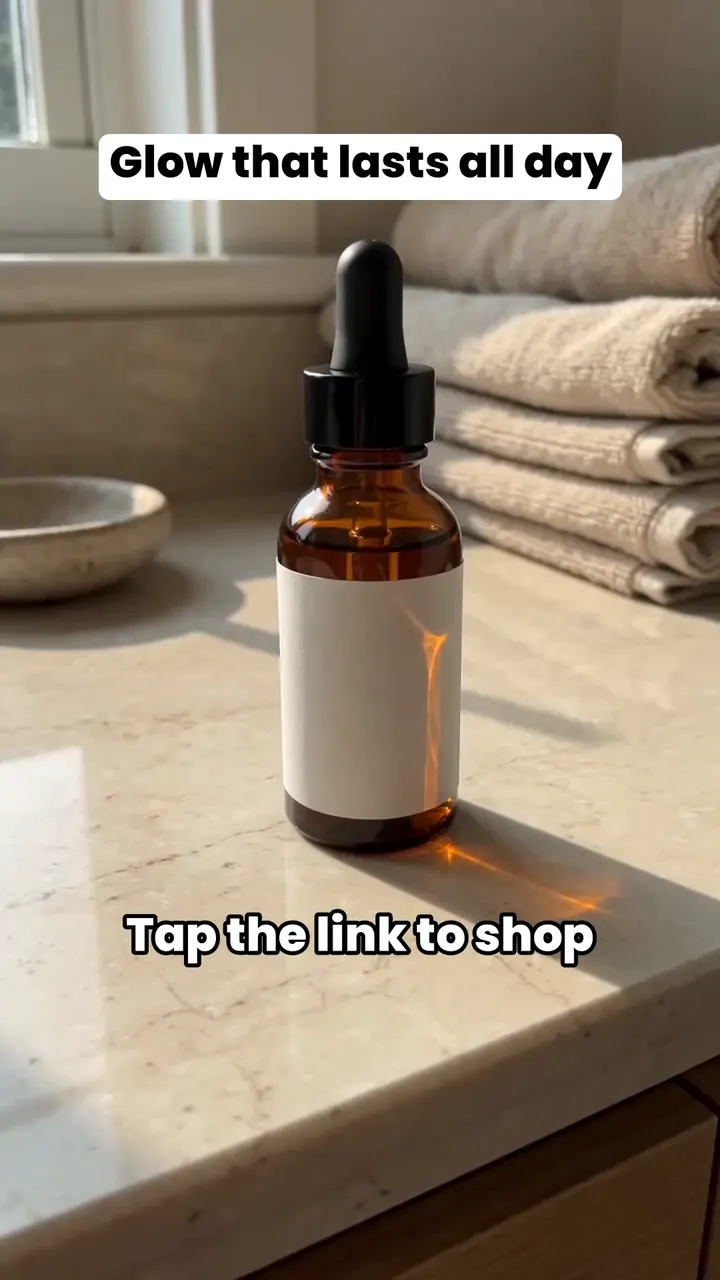
Text overlay burns your words into a finished video: a headline, a product name, a line telling viewers to tap the link. It costs no credits, in the Workflow and on every format.

Or get started: $0 today, then $60/month. Cancel anytime.

AI example

How Text overlay works

Step 1Write

Up to five boxes. Insert {product} to drop in the product's short name.

Step 2Style

Bold outline or Boxed, nine colours, any size from 24 to 160.

Step 3Burn it in

You get the video with your text and keep the clean one too.

What Text overlay does

Up to five text boxes

Each box holds up to 120 characters. Drag it to move it, pull its sides to change the width and its corner to scale the text. It snaps to the centre lines. Insert {product} drops in the product's short name, so one design works across many products.

Comfy from the first wearUnder $50

Text

Bold outlineBoxed

Up to 5 boxes · free

Kept clear of the app's buttons

A switch under the preview keeps your text clear of the TikTok app's buttons. It starts on: it shades the top bar, the buttons down the right side and the caption area at the bottom, and keeps every box out of them. Switch it off to place a box anywhere in the frame.

Keep clear of TikTok's buttonsOn by default

Where you use it

In the Workflow, Text is step 4 of 5. Skip it for a clean video.

On a format, switch Text overlay on in the run (it starts off). With several products, use the same text for every video or different text per product. {product} becomes each product's own short name.

Both versions land in your Library: the clean video and the one with your text.

Hold & Show run

Text overlay
Same text for every videoDifferent text per video

In the Workflow, Text is step 4 of 5

Two styles, nine colours

Bold outline is the default: white letters with a black outline. Boxed puts a solid rounded box behind each line, black letters on white, with padding and corners you can change.

Pick the text colour and the outline or box colour from nine swatches: white, black, blue, green, yellow, orange, red, pink and purple. Align left, centre or right. Save a look you like as your own preset.

Questions and answers

Short, plain answers. If yours isn’t here, ask us.

Something else? Write to support@turbougc.com.

No. It's free in the Workflow and on formats.

No. Your text shows for the whole video.

No. The editor leaves out emoji and any symbol our font doesn't have, and tells you under the box.

Yes. Pick Different text per video, then choose a product to edit its text. Each take of a product shares that product's text.

No. Your Library keeps both: the clean video and the one with your text.

You keep the clean video and the run tells you. Nothing is charged either way.

Related