

Key takeaways
- Both formats suit products one hand can lift, cost 155 credits at 480p or 338 at 720p, and never use or open the product on camera.
- Pick Hold & Show when the product's front sells it; pick Box Open when the arrival or the reveal is part of the appeal.
- Neither shows the back or a face, so add your own footage where angles or a human presence matter.
What each format makes
Hold & Show. A hand holds the product up to the camera. It never turns. The front faces you the whole time, with gentle tilts of a few degrees so the light moves across the label. The product starts on a surface that suits it, comes up close to the camera, and stays closed and unused.
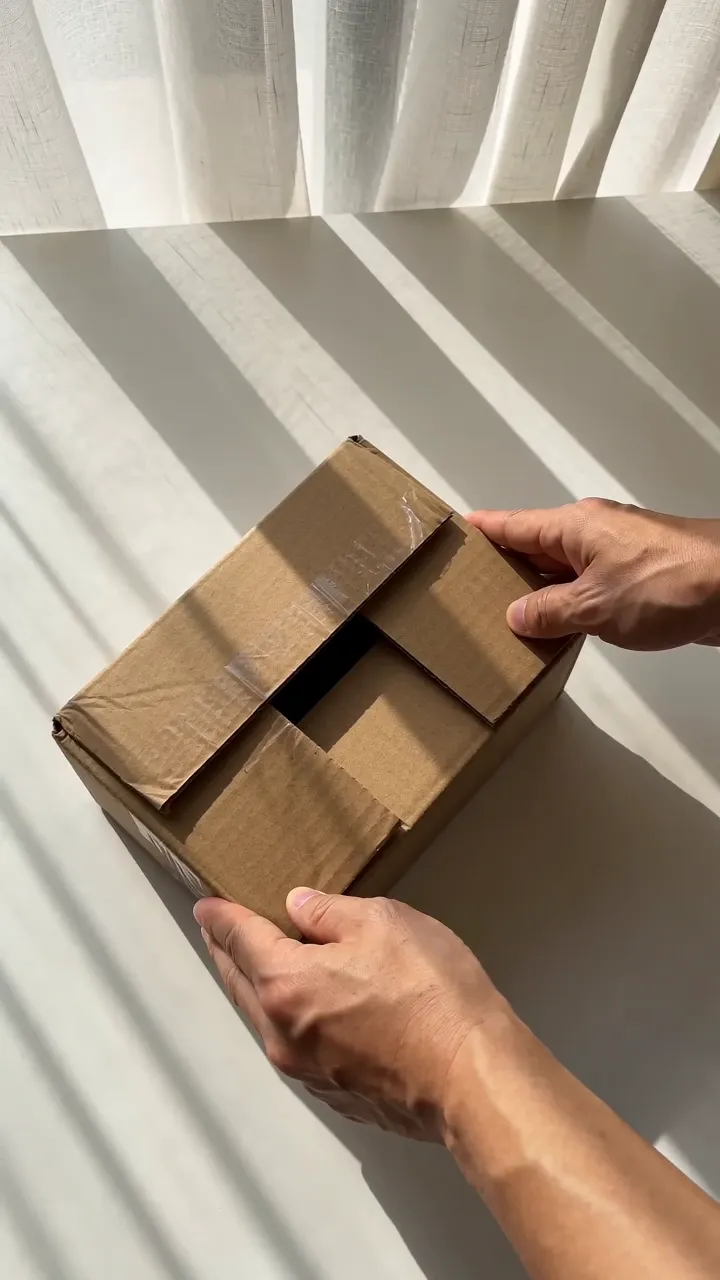
Box Open. Your product comes out of its box. Hands slowly open a plain, unbranded brown shipping box until the product lies fully visible inside. One cut shows it set down on a table, and a second cut shows a closer front view in a hand. The box is a shipping box, never the product's own retail packaging, because a box that doesn't match what the buyer receives could mislead.
Both formats:
- make a 10-second, 9:16 video with Seedance 2.0, ByteDance's video model;
- cost 155 credits at 480p or 338 credits at 720p, including the 8-credit step that plans the shot;
- use your ticked product photos as references, the starred one first;
- never open, apply, spray or use the product on camera;
- show every item when the listing sells a set or a bundle;
- start with Sound on, the product's own sounds, which you can turn off. Both have an off-camera voice: Hold & Show's is an AI voiceover with its own switch, and Box Open's three short lines are made by the video model and go when you turn Sound off.

What products they suit
Both are for products one hand can lift and hold: skincare and makeup, tumblers and bottles, headphones and small electronics, bags, jewelry, kitchen tools, toys, pet supplies and the like. Shoes work in Hold & Show; Box Open can refuse them as something worn on the body. The planning step reads your photos and the listing title first. If the product is too big or heavy for one hand, such as furniture or a large appliance, or something worn on a body, it stops there with "Hold & Show is for products you can hold in one hand." You pay only the 8-credit planning step; the clip's credits come back. Box Open has its own version of that check (it's for products you can lift and handle by hand that come in a box or package) and charges the same way.
For clothing, use Mirror Fit Check. For furniture, rugs and floor lamps, use Furniture Feel.
When Hold & Show is the better pick
Choose Hold & Show when the front of the product does the selling: a label people recognize, a finish, a color, a shape. Because the hand keeps the front toward the camera, the label is readable for all 10 seconds, which helps when the name on the bottle is the reason people buy.
Our own Hold & Show examples include a tumbler, headphones, a handbag and a pair of sneakers: products people choose by how they look.
When Box Open is the better pick
Choose Box Open when receiving the product is part of its appeal: something people order as a gift, a set with several pieces, or a product whose size surprises once it's out of the box. The opening gives the video a built-in reveal in its first 3.5 seconds, and the cut to the table shows the product at rest.
Box Open never shows the product's retail box. If the branded box is what you want to show off, film it yourself.
Make both and compare
The two formats cost the same, so the cheapest way to decide is to make one of each and watch them side by side. A single run of a formula takes 1 to 10 products and 1 to 3 takes per product, up to 20 videos a run, and shows the price before you press Run. Start at 480p while you compare, then make your favorite again at 720p if it earns a second post.
What neither format does
Neither format shows the back or the side of the product. A video model that spins a product has to invent the parts it never saw, and TikTok Shop's AI content policy prohibits turning flat products into fake rotating visuals. If the back matters, film it yourself or show it in a second video.
Neither format puts a person's face on screen. TikTok Shop's quality requirements for US creators ask that product videos feature your face and the physical product, and its content policy counts videos where the creator doesn't speak, appear or meaningfully present the product as low-quality. Add your own voice or a clip of yourself where you can.
Creator free for 3 days. $0 today, 310 credits.
Get startedSources
- TikTok Shop Academy, “AI-Generated Content Restrictions and Requirements” · read October 14, 2026
- TikTok Shop Academy, “Requirements for High-Quality Videos and LIVEs” · read October 14, 2026
- TikTok Shop Academy, “Content Policy” · read October 14, 2026